Cursor as Your Tool: A New Workflow for AI-Native Development
This is the writeup of the talk I gave at Sword AI Summit on 15 November 2025. The talk was called Building Real AI Workflows for Software Engineers. Hello world is how that day felt. This is what I actually showed.
The bottleneck
Most of us still treat AI like a second monitor. Editor on one side, chat on the other. Ticket in Jira. Docs in Notion. PR in the browser. You spend the afternoon pasting context and hoping nothing got lost.
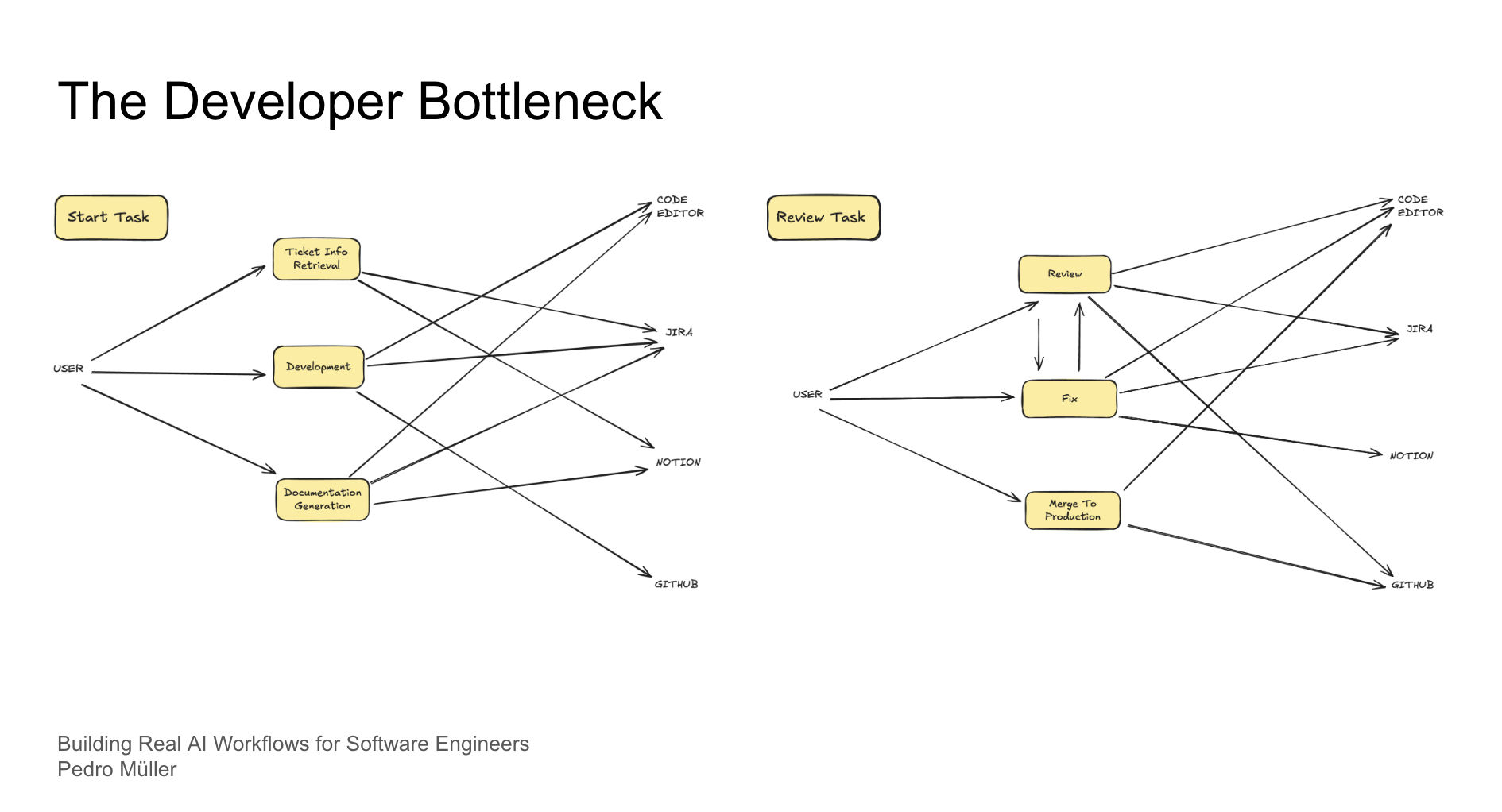
The interesting part is not “AI can write a function.” It is taking the repetitive loop (read ticket, touch code, update docs, open PR) and keeping it in one place.
Cursor as the place work happens
Cursor puts the model in the editor. Same files, same git, same terminal. You stop copying. The model can see the repo, so you stop explaining the repo. That is the whole pitch.
I published the setup I use as a template: ai-workflow-cursor-config.
Out of the box, Cursor writes like a generic Stack Overflow answer. Cursor Rules are how you fix that. Project rules live in the repo and travel with the team. User rules are your own habits. Skip this step and the model keeps sounding like everyone else.
MCP: stop being the integration layer
MCP (Model Context Protocol) is how other apps feed context into the model. Tickets, docs, version control. You do not paste a Jira page into the chat. You say “start this ticket” and it can fetch it.
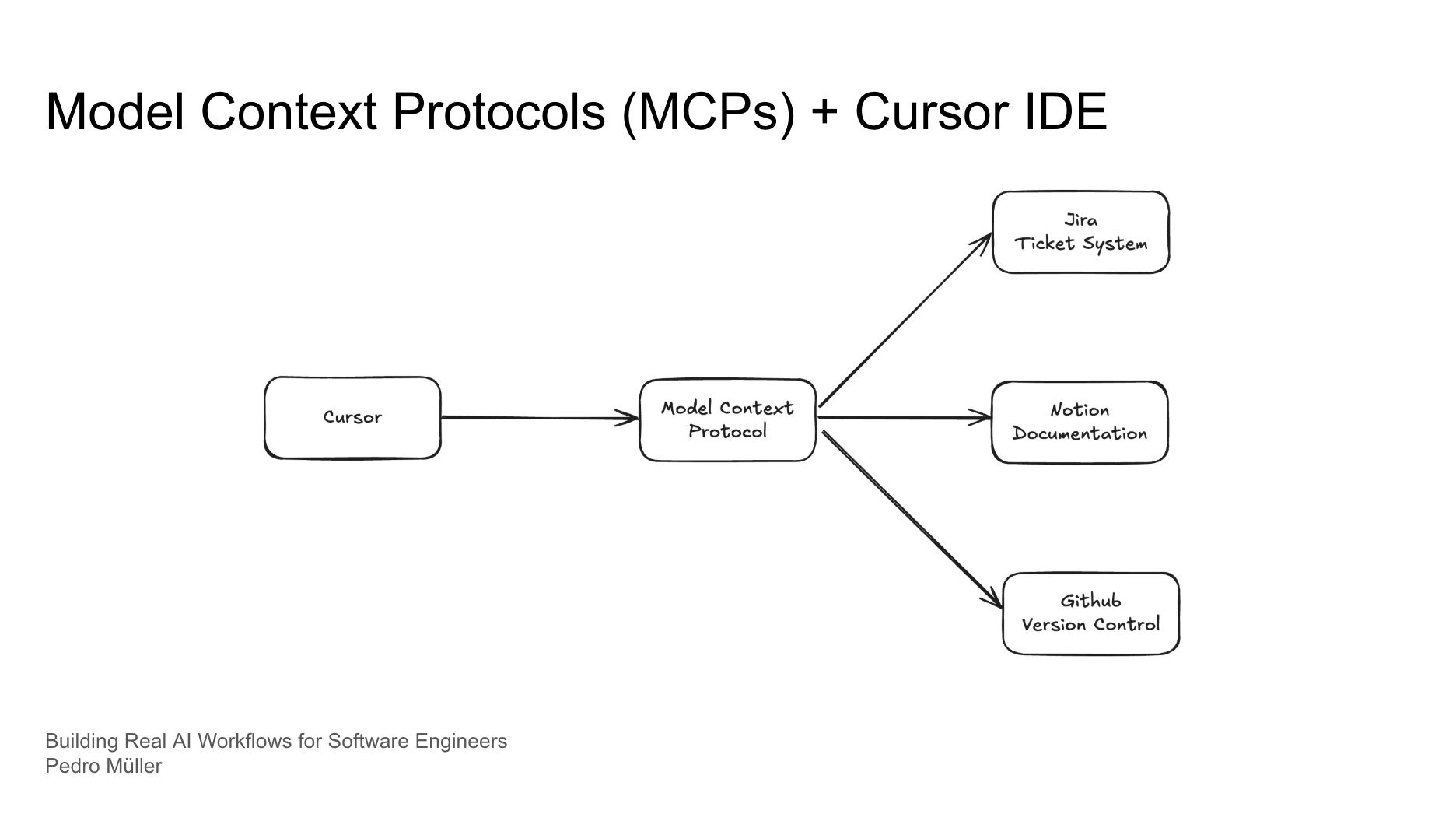
In my setup:
- Jira and Notion go through MCP with browser login
- GitHub stays in Cursor’s own integration with a personal access token
Without MCP you are still the courier. With it, the editor reaches those tools for you.
The workflow I actually use
From inside Cursor I give it a ticket id. It pulls the ticket, drafts documentation for the work, opens a branch, and I implement from there. When the change is ready, docs and the PR come with it. That is what made me faster as a software engineer: less tab switching, more time on the hard decisions.
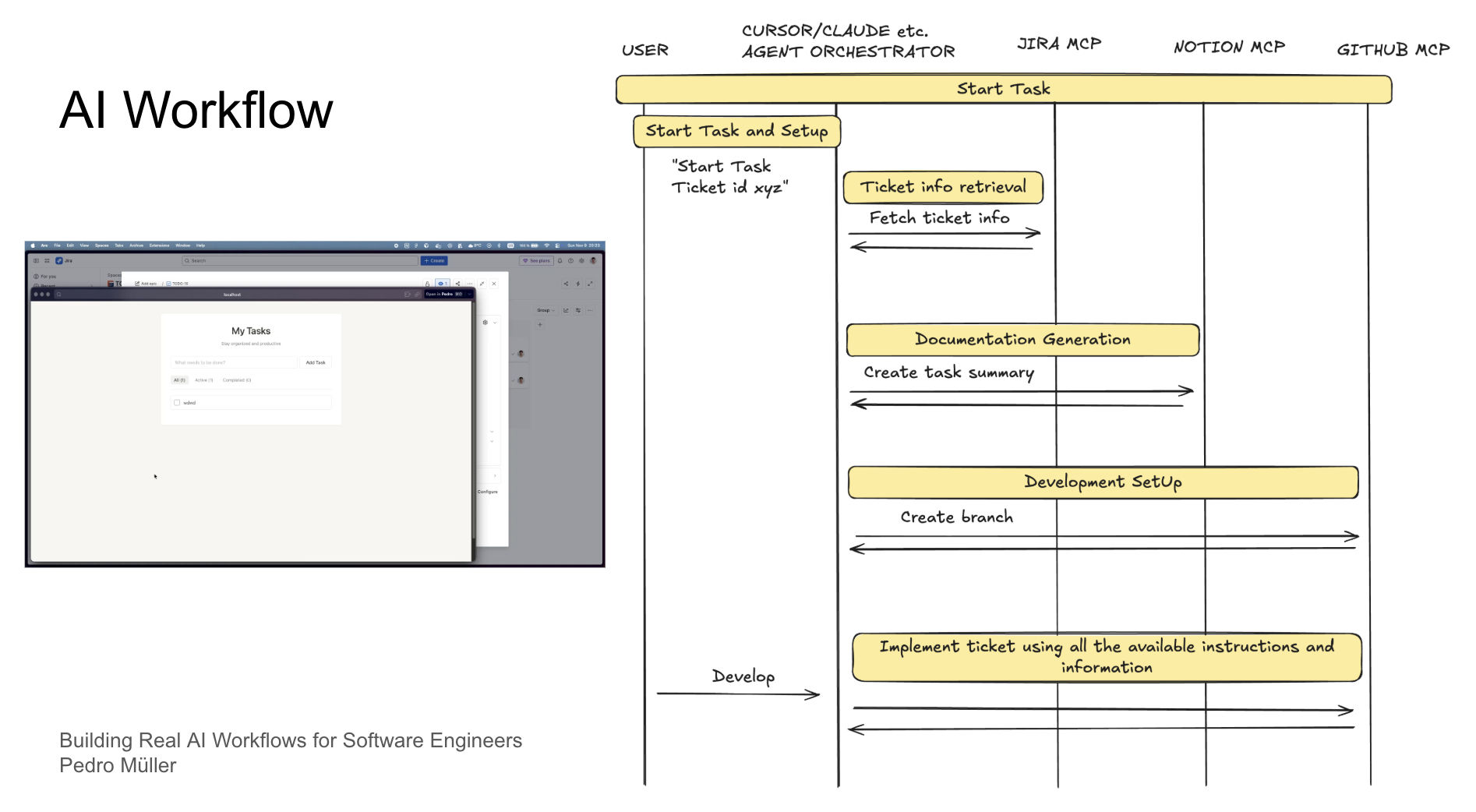
Same idea as a sequence, without the slide chrome:
sequenceDiagram
  participant U as User
  participant A as Cursor agent
  participant J as Jira MCP
  participant N as Notion MCP
  participant G as GitHub MCP

  U->>A: Start task ticket XYZ
  A->>J: Fetch ticket info
  J-->>A: Ticket details
  A->>N: Create task summary
  N-->>A: Doc ready
  A->>G: Create branch
  G-->>A: Branch ready
  U->>A: Develop
  A->>G: Implement and push
The model does not merge. I do. That part is not optional.
Why this matters
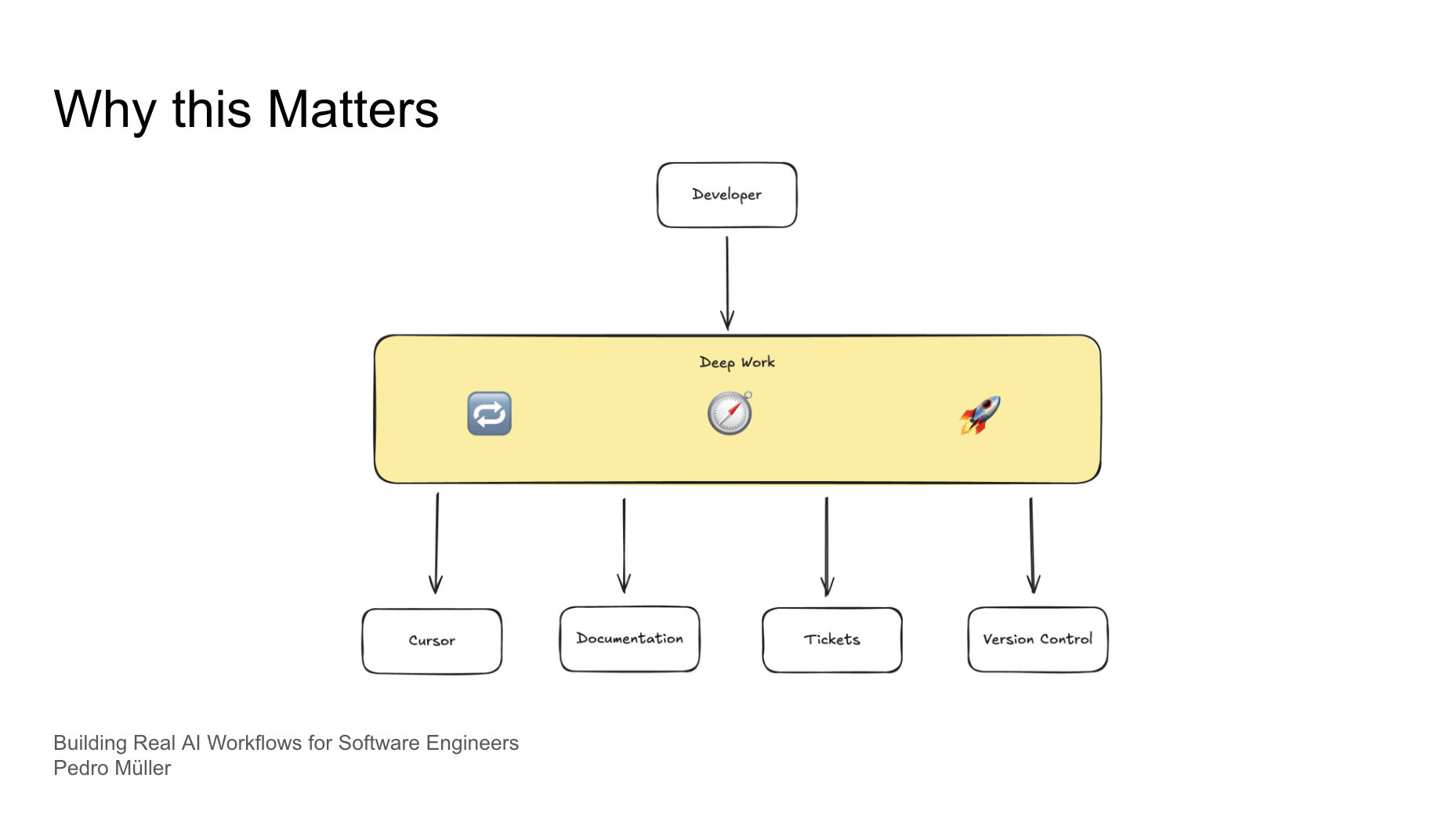
flowchart TD
  Dev[Developer] --> Deep[Deep work]
  Deep --> C[Cursor]
  Deep --> D[Documentation]
  Deep --> T[Tickets]
  Deep --> V[Version control]
Setup takes an evening. The first week feels slower, not faster. Some days you revert the whole thing. It stuck for me because the busywork left the browser. Rules made the output look like my code. MCP meant I stopped pasting tickets.
If you want the template, fork ai-workflow-cursor-config and delete what you do not use. The same skill shape later showed up on the homelab with OpenClaw and the energy packages.